
November 24, 2025
Blue-Green vs Canary Deployment: How to Reduce Release Risk and Maximize Uptime

By Shyam Kapdi
Improwised Technologies Pvt. Ltd.
In times when app updates shape how fast companies adapt, keep users, or save money, picking the right rollout method is key for tech leads - so they use tactics that fit their team’s pace, avoid downtime, yet deliver features safely.
Blue-Green, along with Canary rollout, became top picks for pushing updates almost without downtime while cutting risks a lot. Though these methods try to shield live systems from flawed launches, they go about it differently - one focuses on separating setups, whereas the other leans into slow rollout.
Figuring out how every approach changes expenses, comfort with risks, tech setup demands, or how teams operate matters - because it shapes a rollout plan that keeps things running without hiccups while users stay happy.
This guide explains every method clearly, using everyday situations along with useful tips so you can pick the best fit for your team - whether that’s through examples or hands-on advice. Each part connects smoothly without fluff, keeping things straightforward but full of value.
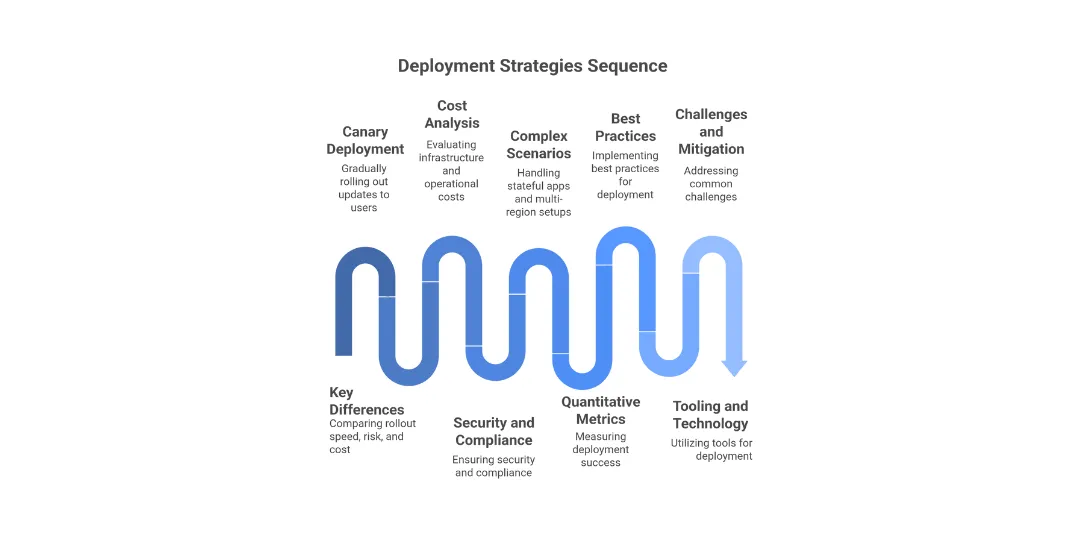
Deployment Strategies Explained: Blue-Green vs Canary
A blue-green setup keeps two alike live setups - Blue, which is today’s version, plus Green, the updated one. When checks finish, the flow shifts from Blue into Green, cutting pauses short while allowing quick reversal. It works like a switch - one runs, the other waits.
- Blue represents stability.
- Green represents innovation. The switch, often controlled via routing or load balancer updates, ensures a near-zero-downtime experience but doubles the short-term infrastructure footprint.
A canary rollout, on the other hand, sends the update to just a few users - the test group - then expands slowly if things run smoothly. Rather than copying environments, it focuses on limiting who sees it at first.
- Canary represents progressive trust.
- The wider population gets updates only after the system proves stable at smaller scales.
Imagine a flowchart showing Blue-Green like a light switch flipping between two setups - either one or the other gets all traffic. Meanwhile, picture Canary as growing circles spreading slowly, starting at just 1%, then inching up step by step until they cover everything.
Key Differences and Direct Comparison
| Factor | Blue-Green Deployment | Canary Deployment |
|---|---|---|
| Rollout Speed | Instant switch once validation succeeds | Gradual, controlled rollout |
| Risk Level | Low, rollback is immediate | Low to medium, depending on monitoring |
| Infrastructure Cost | High during release (duplicate environments) | Lower footprint, higher monitoring complexity |
| End-User Impact | Minimal if the switch is smooth | Localised if Canary misbehaves |
| Monitoring Needs | Basic health checks | Advanced telemetry, analytics, and automation |
Real-World Cost Analysis: Blue-Green vs Canary
Infrastructure and Operational Economics
Infrastructure expenses usually hit harder than setup beliefs. Instead of blue-green, having two setups can spike bills when launching. People keeping green spaces alive might pay 30 - 50% extra each month - unless scripts shut down unused resources fast.
Still, Canary uses less computing power yet brings unseen expenses - like dev hours needed to set up monitoring, gather metrics, or build auto-revert systems.
- Blue-Green costs more in compute and networking.
- Canary costs more in engineering and operational overhead.
Scalability and Budget Planning
The real cost shows up when companies grow. Blue-green gets less effective with microservices or multiple regions. Canary works more smoothly across clouds and global rollouts - charging not only servers but also team expertise and tech readiness.
Team Dynamics and Human Factors
Developer and Ops Workflow Impact
- Blue meets green when groups want steady change - this shift’s a planned move, one step at a time. Tasks? Crisp, no overlap.
- Teamwork between Dev, Ops, Security, and Product gets stronger with canary rollout - results rely on live user reactions, system behaviour, also key metrics are watched closely as they happen.
- Working together helps everyone stay on the same page, while having a solid way to flag issues prevents confusion about who’s responsible.
Change Management and Coordination
- Blue-green’s “do-it-all-now” method clicks with squads that like sure steps instead of guesswork when updating stuff.
- Canary, on the flip side, builds habits around testing ideas early - then tracking results nonstop; ideal for squads focused on trying small things instead of launching everything at once.
Change management also differs: blue-green feels more deterministic; canary demands a risk-tolerant, data-driven mindset where deploying smaller, reversible changes becomes a cultural habit.
Security and Compliance Factors
Security Posture in Strategy Choice
Blue green keeps changes separate - useful if auditors must approve code before launch.
Canary slowly expands coverage, needing flexible rules that adjust along the way.
Built-in safety rules - such as auto code checks, policy scripts using tools like OPA, or live system monitoring - should run directly inside the deployment workflow.
Blue-Green leans on fixed checks, whereas Canary needs ongoing verification via real-time tracking.
Risk Mitigation and Enforcement
Stopping, rolling back, or adjusting updates when live data changes matters a lot. One way or another, teams need clear rules, controlled access by role, and secure handling of sensitive info - deployment tools should be seen like critical systems.
Handling Complex Application Scenarios
With stateful apps or moving databases, Blue-Green usually keeps schema updates more secure - rollbacks stay manageable when you sync data per environment. Rolling out gradually might lead to conflicting writes if there’s no flag-driven control over table versions.
In multi-region setups or across different clouds, Canary scales better since it checks one area or group at a time before going live everywhere - using that step-by-step check keeps things under control. On the flip side, Blue-Green works smoothly when rules are strict or speed matters, thanks to matching test and live environments closely.
In short, go with Blue-Green if you’re dealing with fixed setups - like banking - while Canary works better when things change on the fly - think online apps that adjust using real-time user data.
Also Read: Downtime-Free Migration Patterns for Stateful Services
Quantitative Metrics for Deployment Success
Deployment KPIs and Monitoring
Picking how you measure success matters just as much as launching. For spotting issues fast, check the average detection time. When fixing problems, look at recovery speed instead. Swap out pure manual rollbacks - track how many are automatic now. Quiet launches? See what share goes without alerts or hiccups. Watch error trends across user groups to catch hidden flaws.
Key deployment KPIs include:
- Mean Time to Recovery (MTTR)
- Deployment success rate
- Rollback frequency
- User error reports or SLO deviations
- Resource cost per release
Feedback-Driven Improvement
Good Canary methods use ongoing input - coming not only from tech monitoring, but from post-incident reviews along with real user behaviour - to build tight cycles that boost both release speed and stability.
Best Practices for Implementation
- Integrate with CI/CD: Couple deployment stages with automated validation, not manual checks.
- Automate rollbacks: AI-based predictive rollouts (e.g., Argo Rollouts) can trigger reversions autonomously.
- Enhance monitoring and tracing: Incorporate APM and distributed tracing within each phase.
- Feature flag granularity: Combine progressive rollout with feature toggles for zero-disruption experimentation.
- Consistent environment parity: Use IaC (Terraform, Pulumi) to version control both blue-green environments.
Tooling and Technology Ecosystem
Blue-Green Support
Tools such as Kubernetes handle coordination, while AWS Elastic Beanstalk gives a hosted setup; meanwhile, Terraform automates load balancing tasks - each plays a role in blue-green rollouts.
Canary and Progressive Delivery Stacks
Tools such as Istio, Argo Rollouts, - sometimes paired with LaunchDarkly, Unleash - are starting to use smart systems that adjust release speed, spot odd behaviour, while checking rules on the fly.
AI and Automation
The future’s got machine learning rolling out predictions like it’s nothing - systems guessing problems before they pop up, tweaking traffic rules in real time. That way, devs spend less time wrestling servers and more time building actual features.
Also Read: How to Troubleshoot Kubernetes: Identify and Fix Issues Like a Pro
Common Challenges and Mitigation Strategies
-
Infrastructure costs: Use ephemeral environments and spot instances.
-
Data consistency issues: Apply dual-write patterns with clear migration rollbacks.
-
Observability gaps: Leverage metrics-driven gates with synthetic testing.
-
Team coordination: Use shared dashboards aligning development, operations, and security data to common release metrics.
Future Trends in Deployment Strategies
- AI/ML-Driven Predictive Rollouts
AI tools check past data, current app performance, or user behaviour to guess where updates could fail - then pause, roll back, or scale before problems hit
- Advanced Progressive Delivery
Methods like auto canary checks, shifting group focus, or using toggle tests give a tight grip on traffic flow while spotting issues quickly
- The Expanding Role of Platform Engineering
Platform teams create tools so engineers deploy apps easily through set methods - like blue-green or canary setups - guided by clear rules stored in code; one setup works across many projects without new scripts every time
Also Read: 7 Signs Your Organization Needs Platform Engineering
Conclusion and Next Steps
Blue-Green keeps things steady; meanwhile, Canary boosts flexibility. One isn’t better everywhere - it really hinges on whether you need fast rollback or real-time testing.
Platform teams can get more out of combining methods - using Blue-Green setups while running gradual rollouts inside them, backed up with live monitoring and automated checks.
The future of smooth rollouts won’t just depend on less downtime - instead, it’ll grow from constant learning during each launch.

November 28, 2025
Platform as a Product Guide: How to Build Internal Platforms That Scale
By Shyam Kapdi
Improwised Technologies
Pvt. Ltd.

November 26, 2025
Deploy Your Own ChatGPT Alternative with LiteLLM Proxy and OpenWebUI

By Improwised Editorial Team
Improwised Technologies
Pvt. Ltd.

November 21, 2025
How Platform Engineering Reduces Developer Cognitive Load: Best Tools & Strategies
By Shyam Kapdi
Improwised Technologies
Pvt. Ltd.
Optimize Your Cloud. Cut Costs. Accelerate Performance.
Struggling with slow deployments and rising cloud costs?
Our tailored platform engineering solutions enhance efficiency, boost speed, and reduce expenses.